Many designers rely on complex motion tools like After Effects to create simple animated assets.
This introduces friction when teams need:
quick social media visuals
lightweight product illustrations
animated marketing assets
simple motion design for landing pages
Lottie animations for product UI
Existing tools often require either motion design expertise or developer involvement.
The goal was to explore whether a focused tool could simplify common animation workflows into a more accessible format.
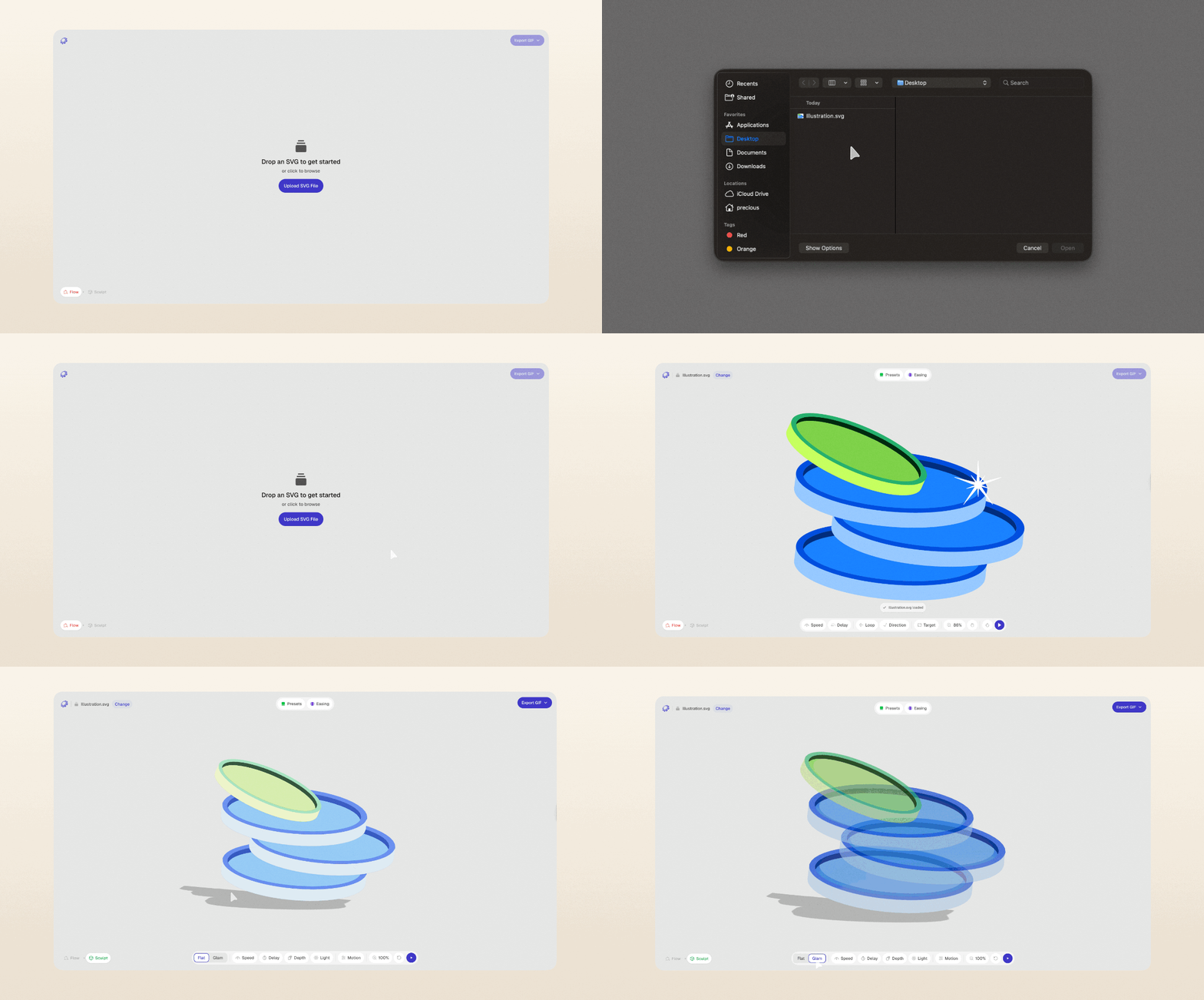
Reframeo focuses on two common creative workflows:
Flow mode
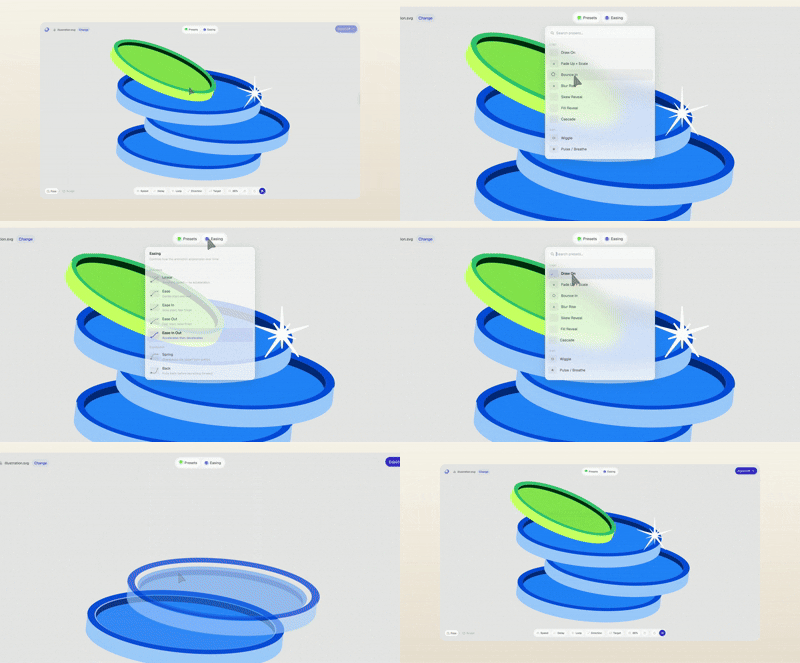
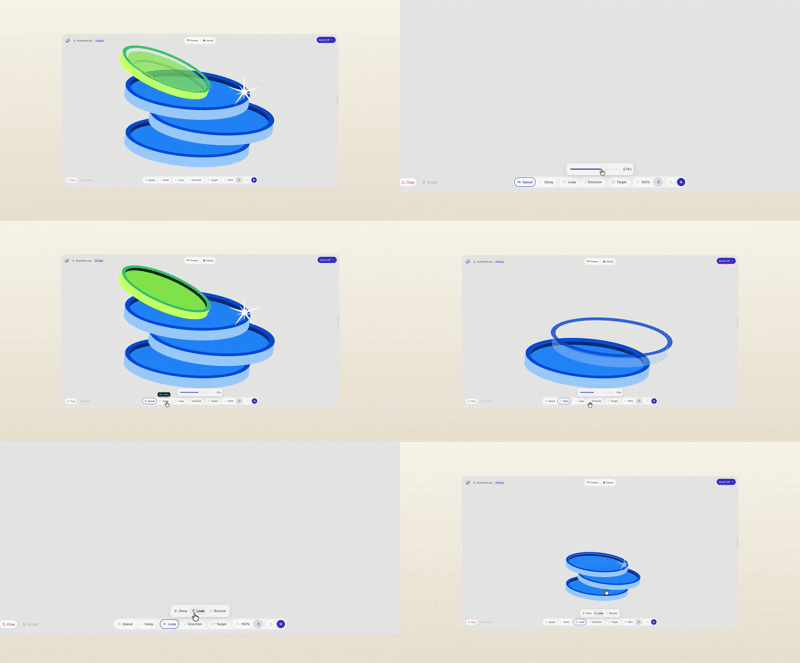
Upload an SVG and apply animation behaviors such as:
draw-on
fade
cascade
bounce
directional motion
easing adjustments
Users can fine-tune:
duration
delay
sequencing logic
loop behavior
easing curves
element targeting
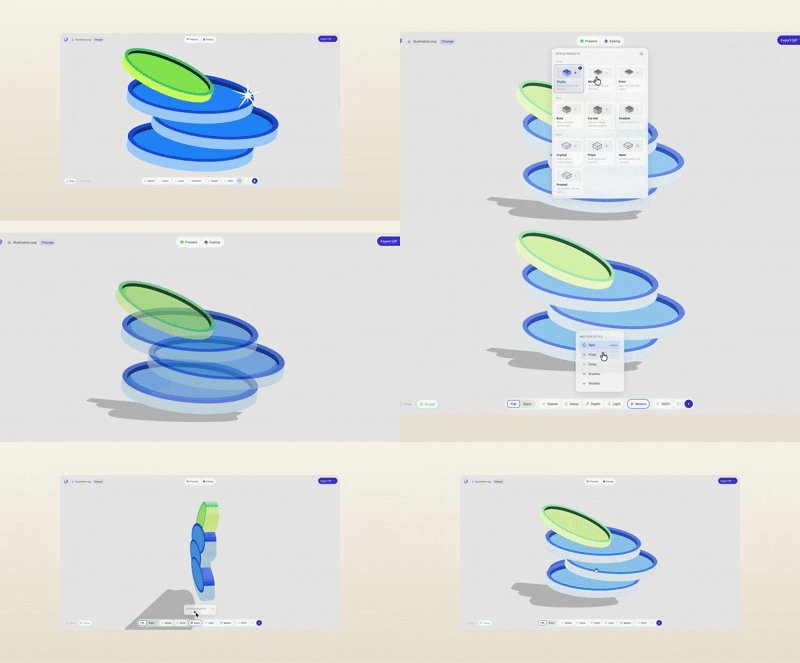
Sculpt mode
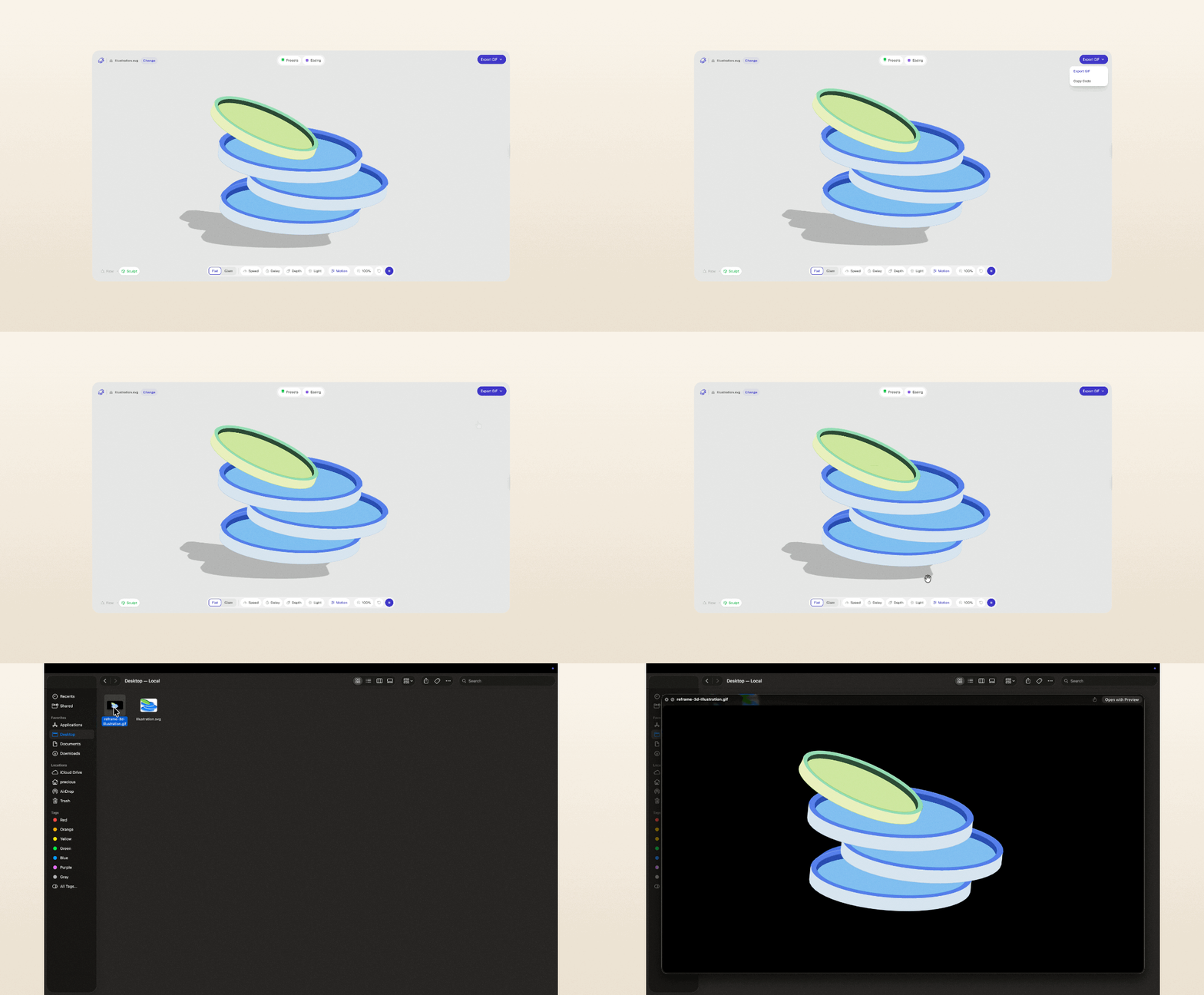
Transform 2D assets into stylized 3D visuals.
Users can:
adjust extrusion depth
control lighting direction
apply material styles
add motion effects such as spin, float, or sway
The product is positioned as a lightweight alternative to heavier animation workflows.
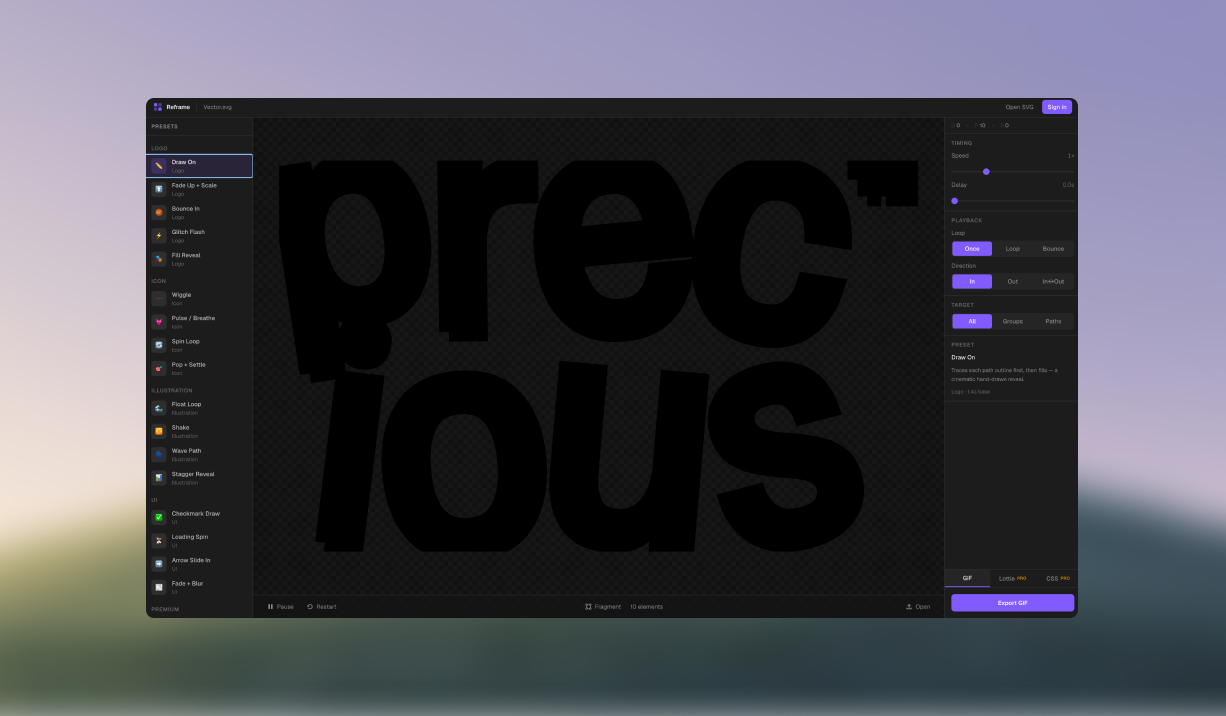
Rather than using AI purely for generation, the workflow focused on structured collaboration between design tools and AI systems.
The process involved:
1. Problem framing
I started by identifying repeatable animation needs across marketing and product design workflows. A consistent pattern emerged: designers often need faster ways to create motion assets without relying on engineering support, while still maintaining consistent export formats that work across product surfaces. AI tools helped me quickly explore different interaction structures and narrow down an approach that felt both flexible and easy to use.
2. Interface exploration in Figma
I explored multiple interface directions in Figma, focusing on how motion controls could feel intuitive without overwhelming users. The goal was to reduce visual noise while structuring controls around creative intent rather than technical terminology. Through iteration, I refined a panel layout that makes it easy to adjust animation properties like speed, easing, and sequencing without breaking flow.
3. Translating design into production with AI
Using Figma MCP and Claude, I translated interface decisions into working components and interaction logic. Instead of manually implementing every detail, I focused on guiding the AI toward predictable output through structured prompts and iterative refinement. This approach helped map interface controls to animation parameters, surface edge cases early, and maintain consistency across states.
4. Validation through iteration
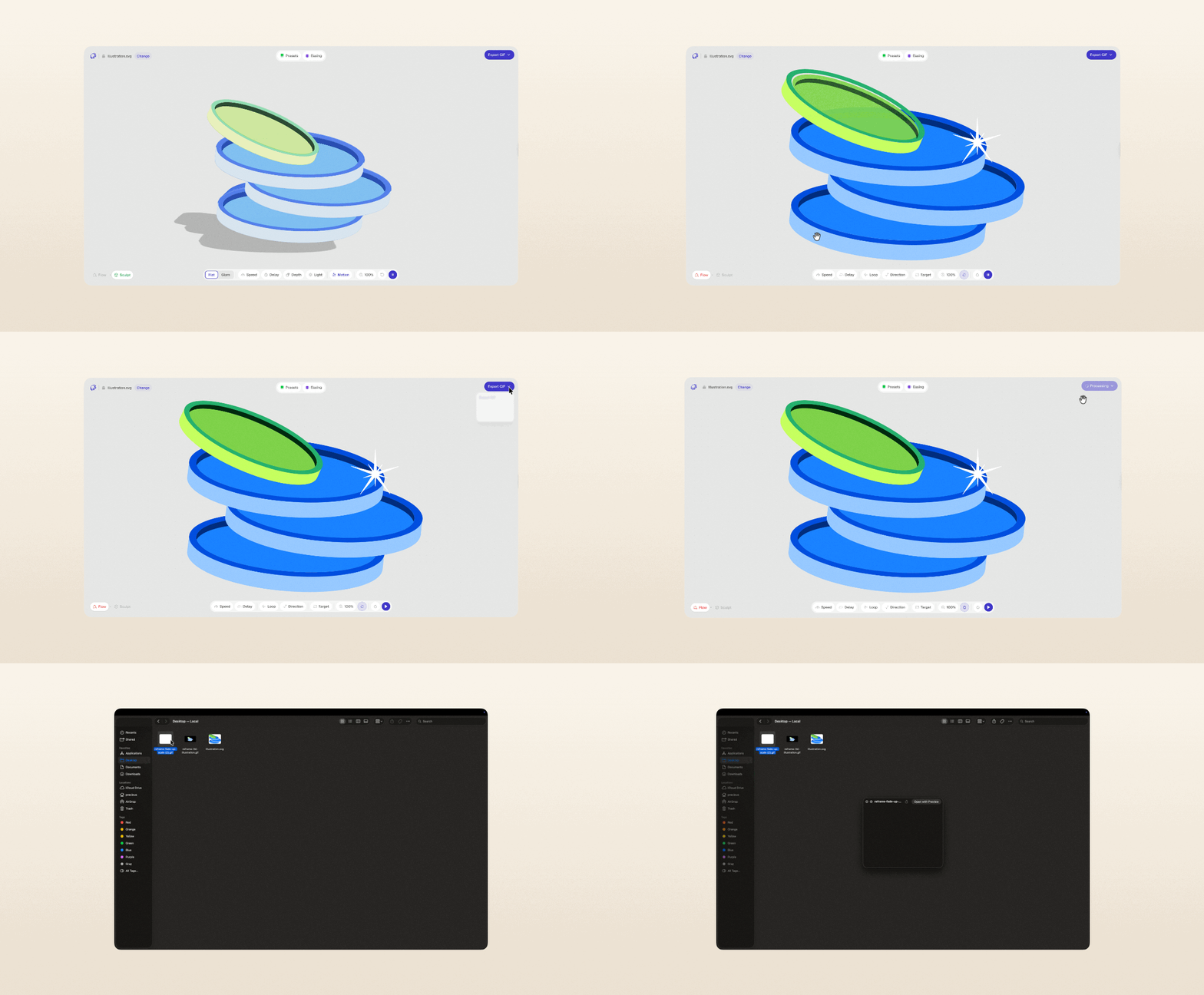
I tested features through real-world use cases, exporting assets for motion experiments, testing SVG edge cases such as nested layers, and refining presets based on output quality. Each iteration focused on improving clarity, speed, and predictability, ensuring the tool produces usable results without requiring additional adjustments.
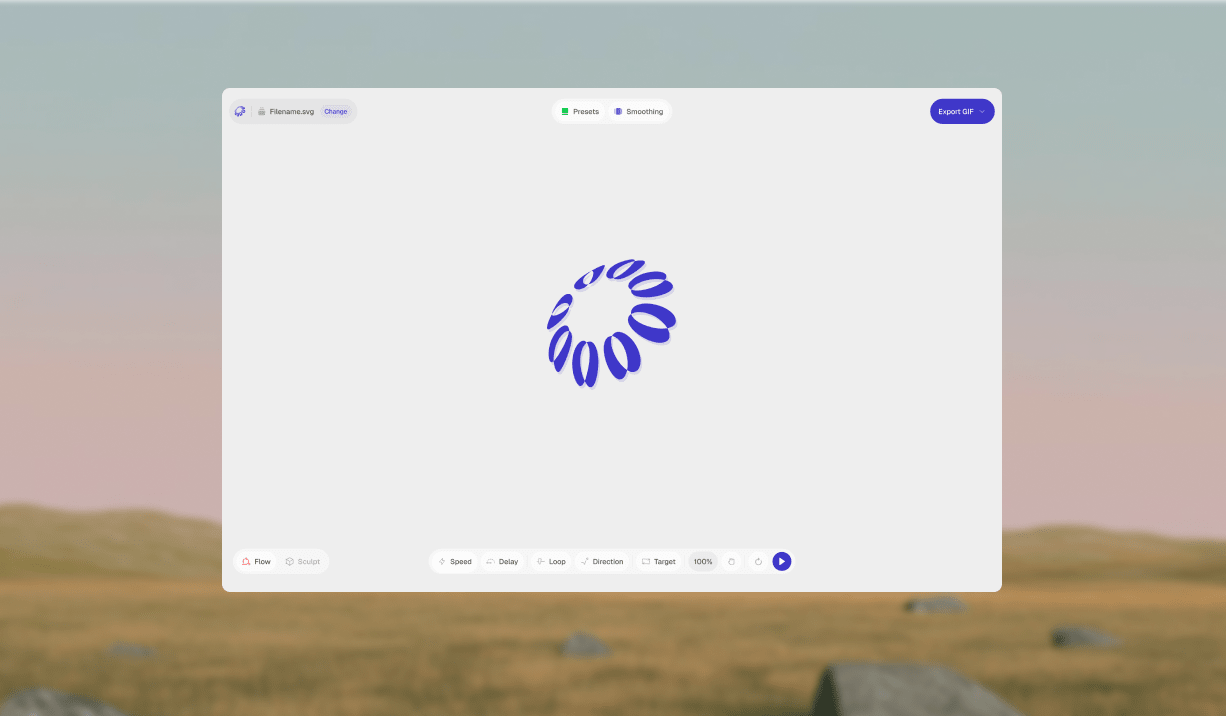
The interface is organised around a real-time canvas for previewing animations or 3D output, alongside a control panel where motion, timing, styling, and export settings can be adjusted in one place, allowing users to iterate quickly without breaking their flow.
AI tools supported implementation across several areas:
generating UI component structure
refining animation parameter mapping
improving performance of SVG rendering logic
structuring reusable components
identifying potential edge cases
The workflow involved reviewing generated code to ensure:
predictable behavior
maintainable structure
performance considerations
safe handling of uploaded files
consistency across feature variations
Human review remained central to ensuring output quality.
Reframeo demonstrates a new workflow where designers can move from concept to production-ready tools more independently.
Key learnings include:
AI can accelerate implementation when paired with structured design thinking
clear interaction models improve collaboration with AI systems
structured prompts lead to more predictable UI output
iterative validation remains essential even with AI assistance
The project highlights how design roles are expanding beyond interface definition into tool creation.
Designing and building Reframeo required balancing exploration with structure. Working with AI changes the pace of iteration but still requires strong product thinking to guide decisions.
One key takeaway: AI can accelerate execution, but clarity of intent still shapes the outcome.
The ability to define interaction models, structure systems, and evaluate output remains critical when designing AI-assisted products.